End the Chaos.
The Ultimate DJ Audio Workspace.
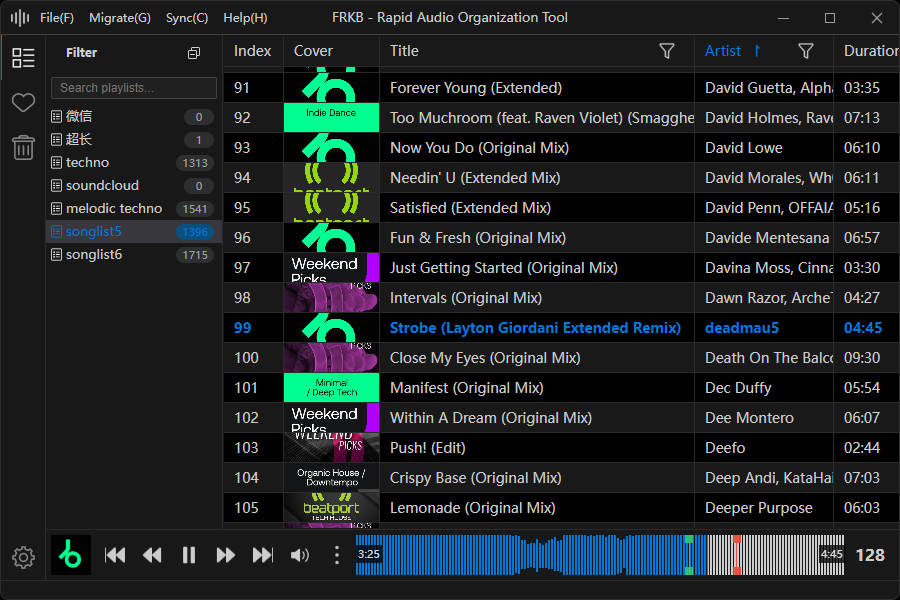
Stop bouncing between apps. From real file organization, SET playlists, fingerprint dedup, waveform preview, Rekordbox integration, section and energy analysis, and library merge, to dual-deck browsing, the Recording Library, single-track stem separation, and Mixtape workflows. FRKB delivers an all-in-one, WYSIWYG desktop engine built around keyboard-first control.
Dual-Deck Browse Mode
DJ mixer-style side-by-side browsing
Supports volume faders, crossfader, Hot Cue, Memory Cue, Loop, Quantize, Beat Sync, Auto Gain, Cue monitoring, and dual-deck recording. Quickly judge how two tracks work together.
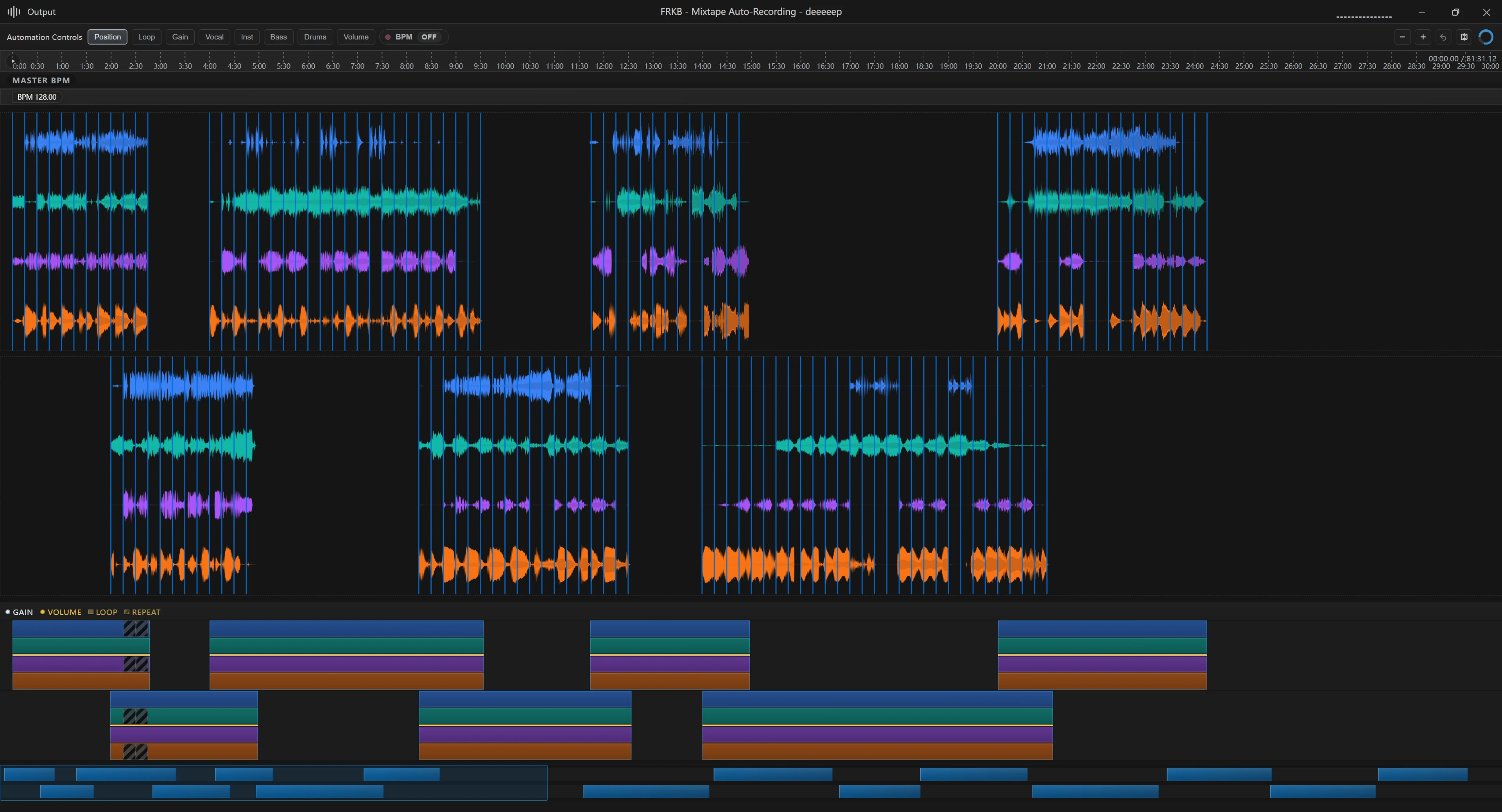
Mixtape Auto-Recording & Stems
Prepare perfect materials for your set
A dedicated timeline workspace for arranging, previewing, tweaking, and exporting mixes. Supports cross-window drag-in. Managed Stem runtime keeps track separation inside the app.
Built Around Real Workflows
From importing and auditioning to external libraries and mix preparation, common tools stay close to the way DJs actually work.
Waveform Edit & Visualization
SoundCloud, detailed, RGB, and single-track editing waveforms with range playback. Precisely locate drops and drum energy.
Content-Aware Dedup & Mapping
Identify duplicates based on audio characteristics. UI groups and directories reflect the true disk structure. Say goodbye to duplicates and mess.
Managed SET Playlists
Prepare performance sets as mapping-based playlists with duplicate entries, stable indices, drag reordering, and source-track deletion protection.
Rekordbox & Pioneer Integration
Directly read local Rekordbox and Pioneer USB libraries with drag-to-reorder, Cue/Loop preservation, keyboard multi-selection, curated artist import, and XML export.
Analysis Under Your Control
Confirm, skip, or manually start playlist analysis. Per-track progress stays visible, while background queues are scheduled around foreground playback.
Keyboard-First Ergonomics
Minimize mouse movement. All frequent operations are accessible via shortcuts, protecting your neck and making organization fluid.
Geek Features
Powerful toolset for advanced users.
Smart Beatgrid & Analysis
BPM, key, and beat-grid analysis with Tap Tempo, manual unanalysed-track queues, and visible per-track analysis progress.
Format Conversion & Metadata
Tag cleanup, cover replacement, and MusicBrainz assisted filling. One-click non-MP3 conversion.
Cross-Device Cloud Sync
SHA256-based fingerprint sync, clear sync summaries, minimizable progress, curated artist split-linking, and portable library state.
Recording Library
Record dual-deck output as high-quality WAV, keep recordings in a dedicated library, and see millisecond-level duration while recording.
Dual-Library Architecture
Dedicated Screening and Curated libraries designed for DJs. Quickly route tracks with shortcuts.
Safe Recycle Bin
All deletions and dedups go to a dedicated recycle bin with one-click restore. Organize with peace of mind.
Smart Batch Rename
Unify filenames across playlists using preset rules or custom formats for absolute consistency.
Global Search & Discovery
Global search, NetEase Cloud search, library-menu similar track discovery, and controls for hiding unwanted recommendations.
Fingerprint Library
Scan whole libraries into a reusable fingerprint store for more consistent deduplication, analysis reuse, and similar-track workflows.
SET Preparation
SET playlists keep source-track mappings intact while allowing duplicate programming, stable ordering, and scene-specific performance crates.
External Analysis Cache
Reuse analysis results for Rekordbox, Pioneer USB, and ordinary external files to avoid repeated waiting.
Idle Analysis Scheduling
Background analysis runs through unified idle scheduling to guarantee absolute UI fluidity.
Merge FRKB Libraries
Merge another FRKB library into the current one, including playlists, tracks, analysis, SET, and Mixtape data, without modifying the source library.
Energy & Section Analysis
Analyze track energy and song structure, show them in the player, and audition by analyzed sections.
Single-track Stem Workspace
Separate a single track into high-quality 4 stems, preview and export WAV files, and download the ultra-quality model when needed.
Open Source & Transparent
Source is public under a noncommercial license. Clear architecture welcomes contributions within that license.
System Requirements
- Windows 10 or later (x64)
- macOS 12 or later
- No official Linux build yet
Supported Formats
MP3, WAV, FLAC, AIFF, OGG, OPUS, AAC, M4A, MP4, WMA, AC3, DTS, MKA, WEBM, APE, TAK, TTA, WV